Writebacks & the POB mirror
Data flows back from NetSuite in two ways: ids and statuses stamped onto every synced record, and full POB records mirrored onto the Contract. Together they make Salesforce a truthful window onto NetSuite without giving Salesforce a second copy to maintain.
The id map
Every RESTlet response includes an ids map, pairing each Salesforce id with the NetSuite internal id it created or matched. The writeback service reads the payload structure to route each entry to its object. It never guesses from the shape of an id.
Order Line Sync is the one push call with no writeback. Its lines already carry their NetSuite ids from the booking, so its result stays on the sync run.
If one field can't be written, the sync still succeeds. The run's error log gets a warning instead of a failure. Products that were already matched keep their existing id, so the booking path leaves them alone.
Sync status fields
Every synced object carries the same four fields: NetSuite record id, sync status, message, and timestamp. See the reference for the exact field names.
These four fields do the real work. Deep links resolve through the id. Selectors use "id is blank" to find records that haven't synced yet, which is also how batch runs page themselves. Reports can filter or group by sync status like any other field.
The POB mirror
After every sync's engine leg, and on a manual refresh, Salesforce asks NetSuite for the contract's POBs. It calls the read-only pobs RESTlet action, whether or not the Continuous Revenue Engine is on. Each row comes back with these fields:
| Fields | What they hold |
|---|---|
id, name | The POB's NetSuite id and name |
contract, item | The parent contract and the item the POB is for |
booked, billed, recognized | The three waterfall amounts |
qty | Quantity |
rule | The revenue recognition rule, by name |
startdate, enddate | The recognition period |
delivered, delivereddate | Whether and when the POB was delivered |
fulfilled, fulfilleddate | Whether and when the POB was fulfilled |
pct | The POB's % Complete, such as 40 for 40% |
Each row upserts into the Performance Obligation object (CC_POB__c), keyed on the NetSuite record id. Products resolve back through their own sync ids. The Contract lookup uses the relationship name POBs. The result powers the Revenue Summary card and standard reporting.
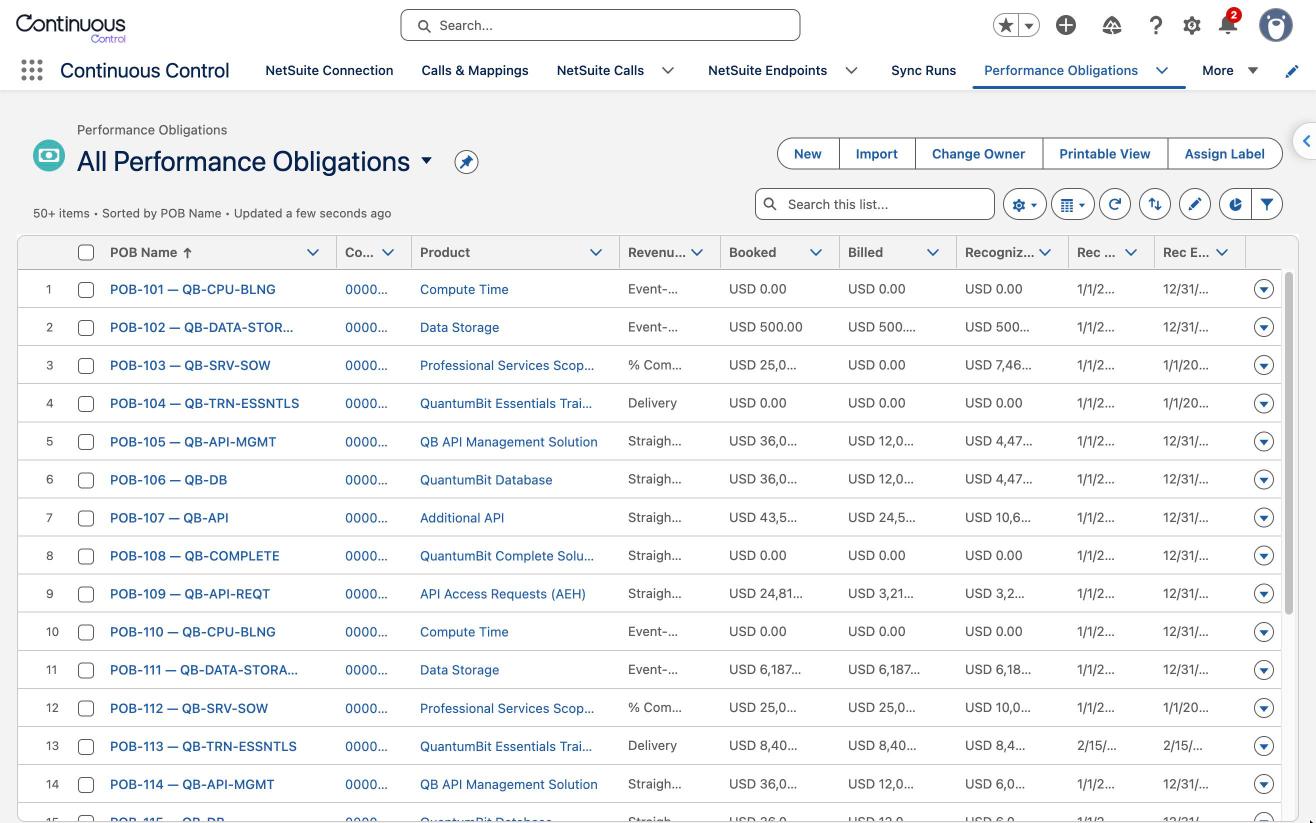
Each mirrored Performance Obligation also gets an Open in NetSuite deep link, built the same way as the Contract's and Order's, through the CC_POB row in CC_NetSuite_Link__mdt. All three link types point at a custom record type, and none of the three metadata rows ships with that type's internal id. The Connection wizard's step 5 writes it in for all three, using pobRecordTypeId from the RESTlet's setupinfo answer. Until step 5 has run once, POB rows sync fine but show no deep link.
Orphan cleanup
POB internal ids can change when the engine regroups them. Lines can move between POBs, and usage POBs can appear. Each mirror pass deletes any Salesforce POB row for the contract whose NetSuite id wasn't in the latest answer. The mirror always matches NetSuite's current set, and never accumulates orphaned rows.
Refresh from NetSuite
NetSuite-side actions, like Recognize Revenue or a scheduled engine run, have no Salesforce trigger. That's why the Revenue Summary card has a Refresh from NetSuite button. It re-pulls the POBs without touching NetSuite. The same operation is also a Flow action, Refresh POBs from NetSuite. A scheduled flow can call it for each active contract to keep dashboards current automatically.